Technology & Operations
AI Facility Management: What It Can Do for Response Times
January 21, 2026
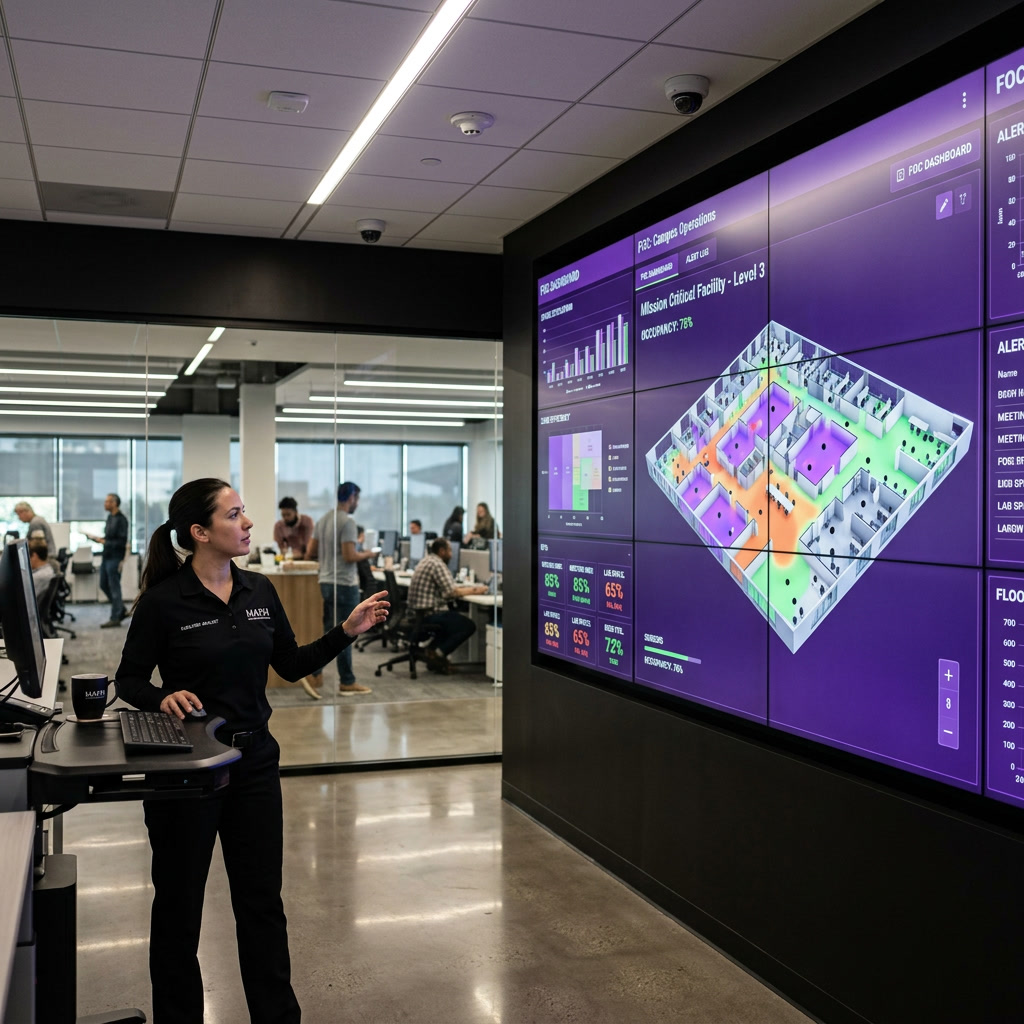
Occupancy sensors and space utilization analytics show how many people are actually in each part of your building and when, which is the one number a lease, a floor plan or a cleaning schedule is usually missing. They do not need cameras to do it, and the privacy design of the system you pick decides whether tenants and staff accept it.
This guide covers the main ways to count people, what a federal pilot found about accuracy and cost, the privacy rules to check before you install anything, and how to turn the data into decisions. MAFM is a facilities management company, not a sensor vendor: our part is planning the program, coordinating the vendors and acting on what the numbers show.
They measure people present in a zone, which is different from people who entered the building or rooms someone reserved. Each older source answers a narrower question.
Kastle's well-known office occupancy index is a good example of the badge approach and its limits. It counts only each person's first building entry per day and compares it to a February 2020 baseline, and Kastle describes it as data from its own business partners in 10 metro areas, not a national statistical sample. That is useful for trends. It cannot tell you whether the third-floor lounge was full at noon on Wednesday.
GSA's own list of occupancy data tools is a fair map of the options. Its USE IT Act occupancy data page describes each in a sentence, and the differences matter for privacy and cost.
The old assumption that computer vision is the only precise option does not hold up. GSA's pilot used plug-in sensors that read Wi-Fi and Bluetooth signals, with no cameras, and the findings document says no personally identifiable information is collected. Cameras are one tool among several, not the default.
Accurate enough to plan with once calibrated, but not perfect, and the pricing in the one public pilot is a single vendor's quote. GSA's December 2025 findings on the Occuspace sensors tested in a Chicago federal building and its Washington, DC headquarters are the best primary source we found.
Treat those prices as a snapshot of one vendor in 2025, and expect them to move. For your own building, get written quotes that separate the software fee, the hardware, installation and any integration with your building automation system.
GSA's takeaway on use cases is practical. It found that occupancy sensors are the most effective source for demand-driven HVAC and lighting control because they deliver real-time, zone-level data, while badge and laptop data suit portfolio-level reporting. It also says tenant spaces, where an agency has no laptop or badge data, need another solution such as sensors. That applies to a multi-tenant office building too.
Counting people without identifying them is the safest design, but the rules depend on what the system actually collects, so ask the vendor in writing. Two laws are worth knowing for the cities MAFM serves. This is general information, not legal advice, so have counsel review any deployment that involves cameras.
California's privacy law covers employees as well as customers. The California Privacy Protection Agency states that its notice requirements also apply to businesses' processing of employees' personal information. The California Attorney General explains that businesses must give a notice at collection, at or before the point at which personal information is collected, listing the categories collected and why. The same page lists biometric information processed to identify a consumer as sensitive personal information. A system that only counts bodies and keeps no identifiers collects far less to disclose.
Illinois is stricter on one point. The Biometric Information Privacy Act defines a biometric identifier as including a scan of hand or face geometry, and it bars a private entity from collecting one unless it first informs the person in writing of the purpose and length of term and receives a written release. Damages are $1,000 for a negligent violation and $5,000 for an intentional or reckless one, per the same statute. A people counter that never scans faces is a different thing from a system that does, so confirm which one you are buying, especially for a Chicago office.
Beyond the law, these design choices build trust:
Decide what you will do with the data before the sensors go in, because a dashboard nobody acts on is just an expense. Three uses tend to pay off in an office.
First, right-size the space. Compare peak simultaneous use to the seats and rooms you pay for. Measure several full weeks before concluding anything, and look at peak days, not averages. Our guides on flexible space management for the hybrid office and conference room and shared space management cover the policy side of what to do when the numbers show a mismatch.
Second, match building systems to real use. ENERGY STAR's commercial building checklist includes using occupancy sensors to control HVAC in personal offices or conference rooms, and automated lighting controls such as occupancy sensors for low-traffic areas. Zone data makes it easier to confirm the schedule matches reality.
Third, schedule services around use. GSA lists streamlining custodial scheduling among the uses of occupancy sensing. Knowing which zones are busy, and when, lets a cleaning plan hit restrooms, kitchens and meeting rooms after heavy use and spend less time on areas that stay quiet. That is the part of the program MAFM's janitorial crews can act on directly once the data exists.
Start small, validate, then expand. A rollout that fits most offices:
If you do not have a person to own this, that is where a facility management partner helps: scoping the program, getting quotes from sensor and software vendors, coordinating installation windows around tenants, and following through on the changes the data supports.
Do occupancy sensors need cameras?
No. GSA's 2025 pilot used plug-in sensors that read Wi-Fi and Bluetooth signals and reported no personally identifiable information collected. Camera-based video analytics is one option GSA lists, and it can capture more detail about movement, so it deserves a closer privacy review.
Are occupancy sensors legal to use in an office?
Generally yes, but notice and consent rules depend on the state and on what is collected. California requires a notice at collection that also covers employees, and Illinois requires written consent before collecting a scan of face geometry. Have counsel review any deployment, especially one with cameras.
How accurate is occupancy sensing?
In GSA's field test, one vendor's sensors were within 15% of manual headcounts. Counting methods differ from each other, and manual counts are imperfect too, so validate any system in your own building before relying on it.
What is the difference between occupancy and utilization?
Occupancy is how many people are in a space at a time. Utilization compares that to what the space could hold or what you pay for, such as peak people divided by seats. Sensors give you the first number, and you calculate the second.
If you are weighing occupancy sensing for an office, MAFM's facility management team can help you scope the program, line up vendors and act on the results, including cleaning and space changes that follow from them. Contact us to start with a walkthrough.
MAFM offers comprehensive facility management solutions tailored to your business needs.
Get in Touch